
MapViewer
MapViewer displays validated real property data from our enterprise systems in an intuitive interface. DWAN users can access browser-based mapping tools through the MapViewer.
What is the purpose of MapViewer?
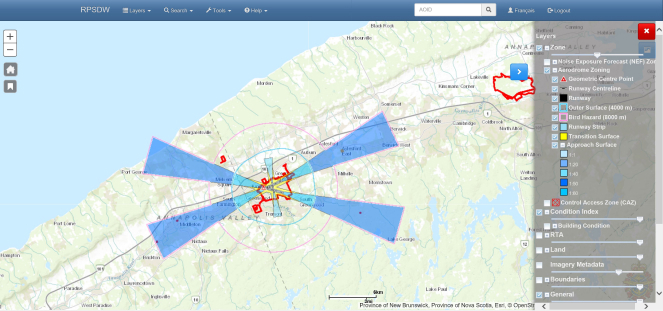
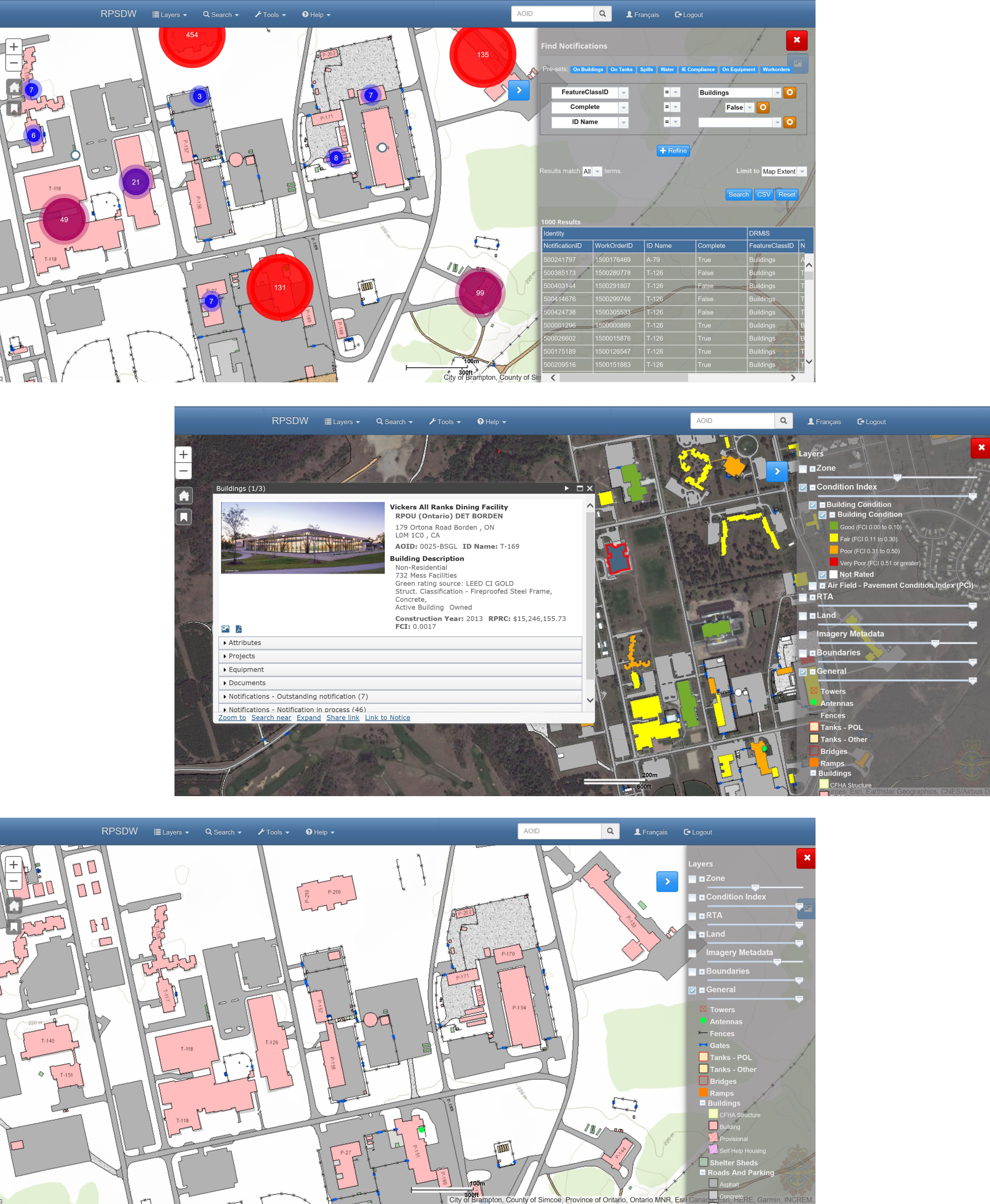
With the MapViewer, personnel in the DND infrastructure and environmental communities can view information about DND/CAF Base and Wing real property assets. With the MapViewer’s search and reporting capabilities, users can better maintain, manage and operate the DND real property portfolio.
Updates for MapViewer
New sites or new functionality accessible with the MapViewer are displayed here.
New MapViewer user interface with improved user experience and platform consistency
Update 1:
Facility Condition Assessment thematic maps are available depicting FCI values. To display colour coded PCI on the building layer, select the condition assessment check box in the MapViewer "Layers" options.
Update 2:
Pavement Condition Assessment information (PCI) collected by DAES Aerodrome has been incorporated in the RPSDW starting with 14 Wing Greenwood. This depicts PCI as colour coded values at the branch and section level for airfield surfaces. DRMIS records have been aligned with this engineering information. To display colour coded PCI, select the condition assessment check box in the MapViewer "Layers" options. Further sites are coming soon.
FAQ
Anyone can use the MapViewer by selecting the Guest login on the main page. This allows anyone to find basic information about the DND real property portfolio in an easy to use point and click map interface. To access more detailed information about the real property portfolio requires a login. This includes access to unclass drawings or notifications. All information displayed in the RPSDW MapViewer is read only.
Login credentials can be obtained by filling in an application form. The account is active for 90 day. Change your password before the account expired to extend for another 90 days.
Please visit the account management site to change your password.
Please visit the account management site if your password has expired. This page enables a user to request a password reset from MCE. MCE will follow up by email with instructions to complete the process.
Bilingual training for the MapViewer is available from DND uPerform learning platform. Simply select the module of interest and click “Launch course”. No uPerform account is required.
Specialized technicians enter and modify engineering data in the RPSDW, and business data in DRMIS. All users can access this data through the MapViewer, a “Google Maps” style interface.
Can't find what you're looking for?
Leave us a question and we will get back to you as soon as possible.